Loading comparisonPreparing the original and finished photo.
01
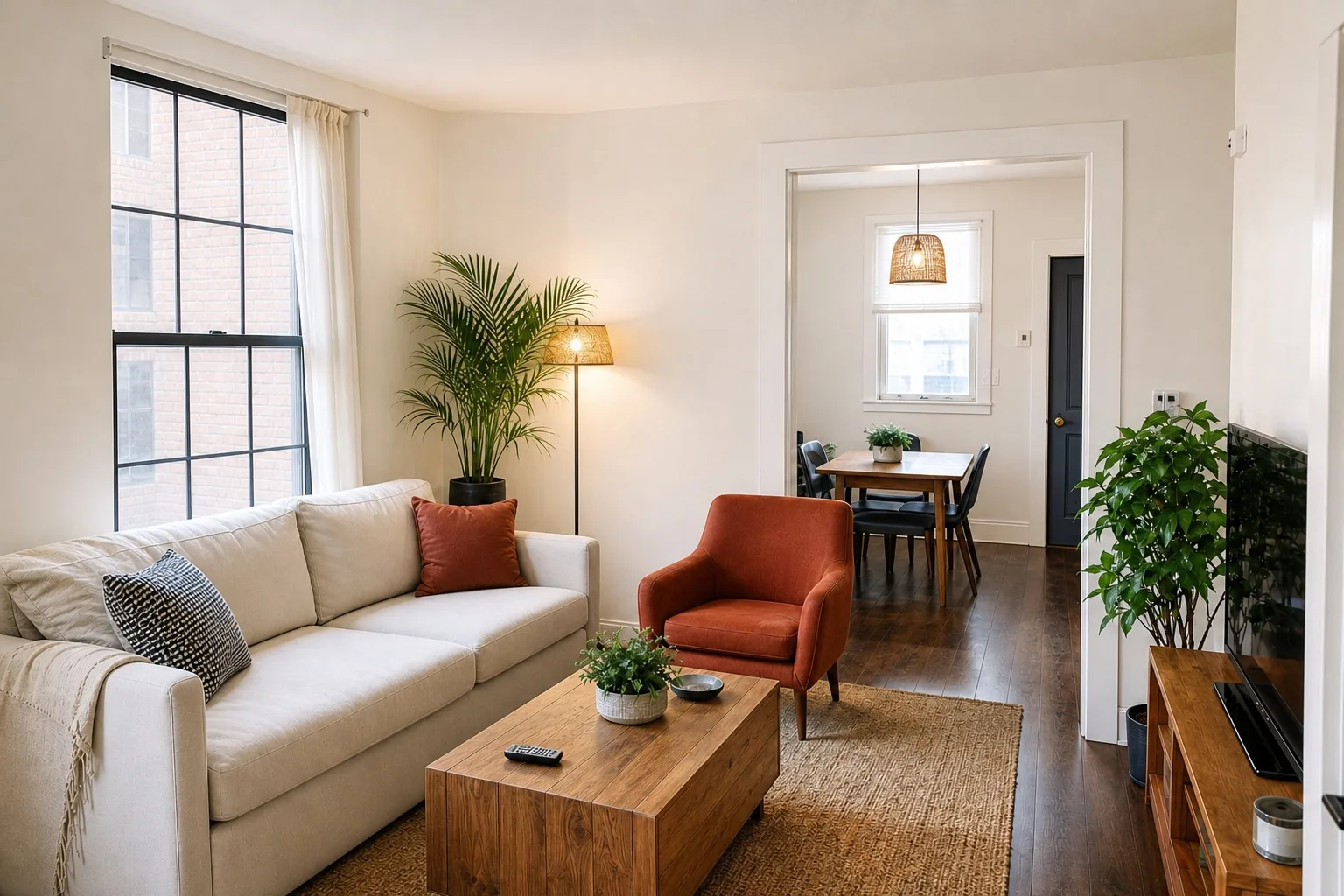
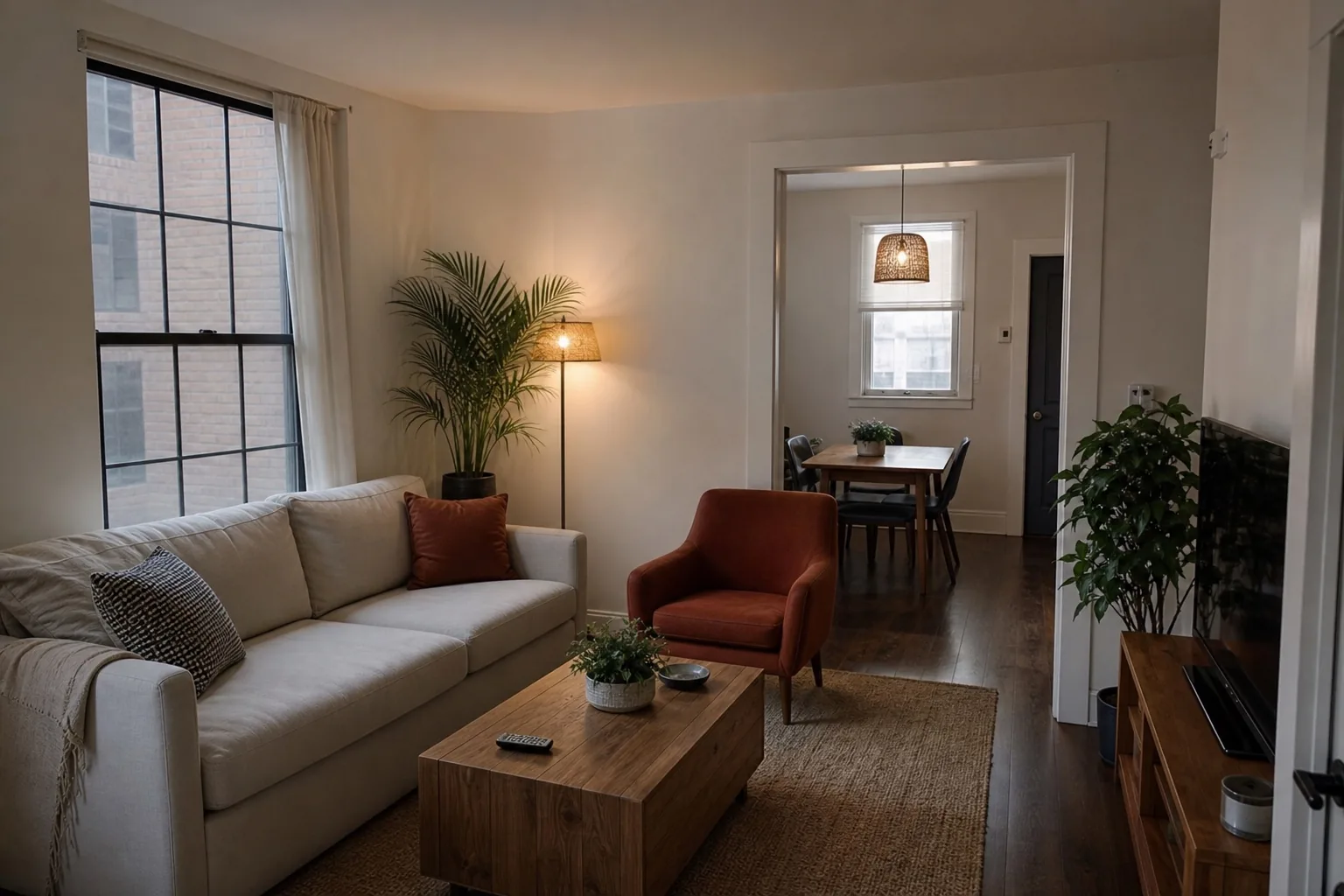
Living room
Shadow recovery without flattening the window, furniture, or material contrast.
- Exposure balance
- Neutral color
- Window detail
Vacation rental photo editing
Vacation rental photos that get booked.
Loading the photo desk…
Useful stay, weak gallery
A guest decides from the first thumbnail. Turnover-day phone photos compress the range between windows and rooms, bend architectural lines, and shift material color, so a good stay reads as a worse one. ListPik corrects those photographic failures without redesigning the stay.
Dark corners and bright windows make useful space feel smaller and less certain.
Mixed bulbs and daylight turn white walls orange, blue, or green across a gallery.
A small camera tilt makes door frames, cabinets, and walls lean toward the ceiling.
Four rooms, four failure modes
Drag across each representative demo. The useful question is not whether the result is brighter; it is whether the room, materials, view, and visible condition still hold up against the source.
Shadow recovery without flattening the window, furniture, or material contrast.
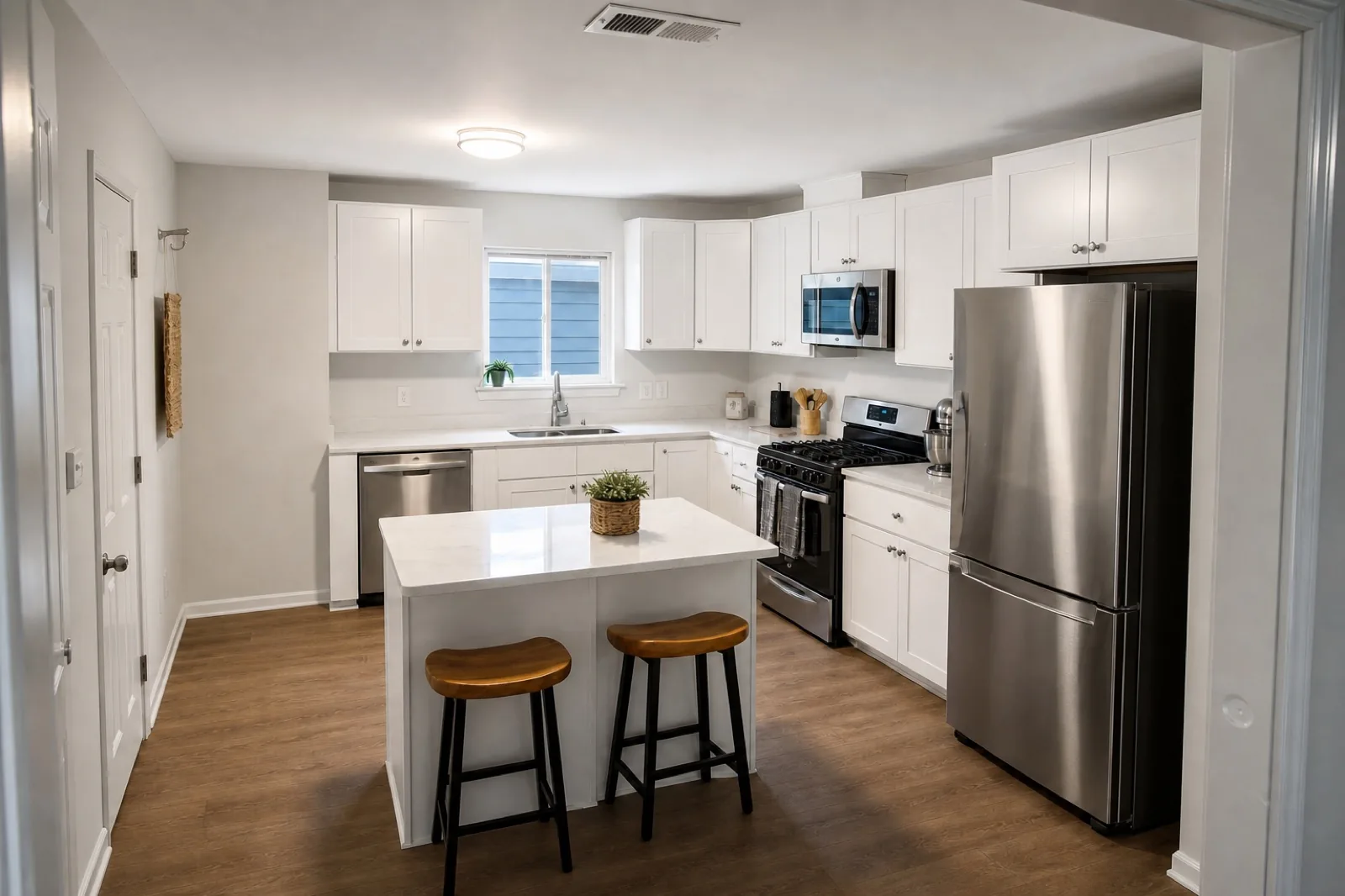
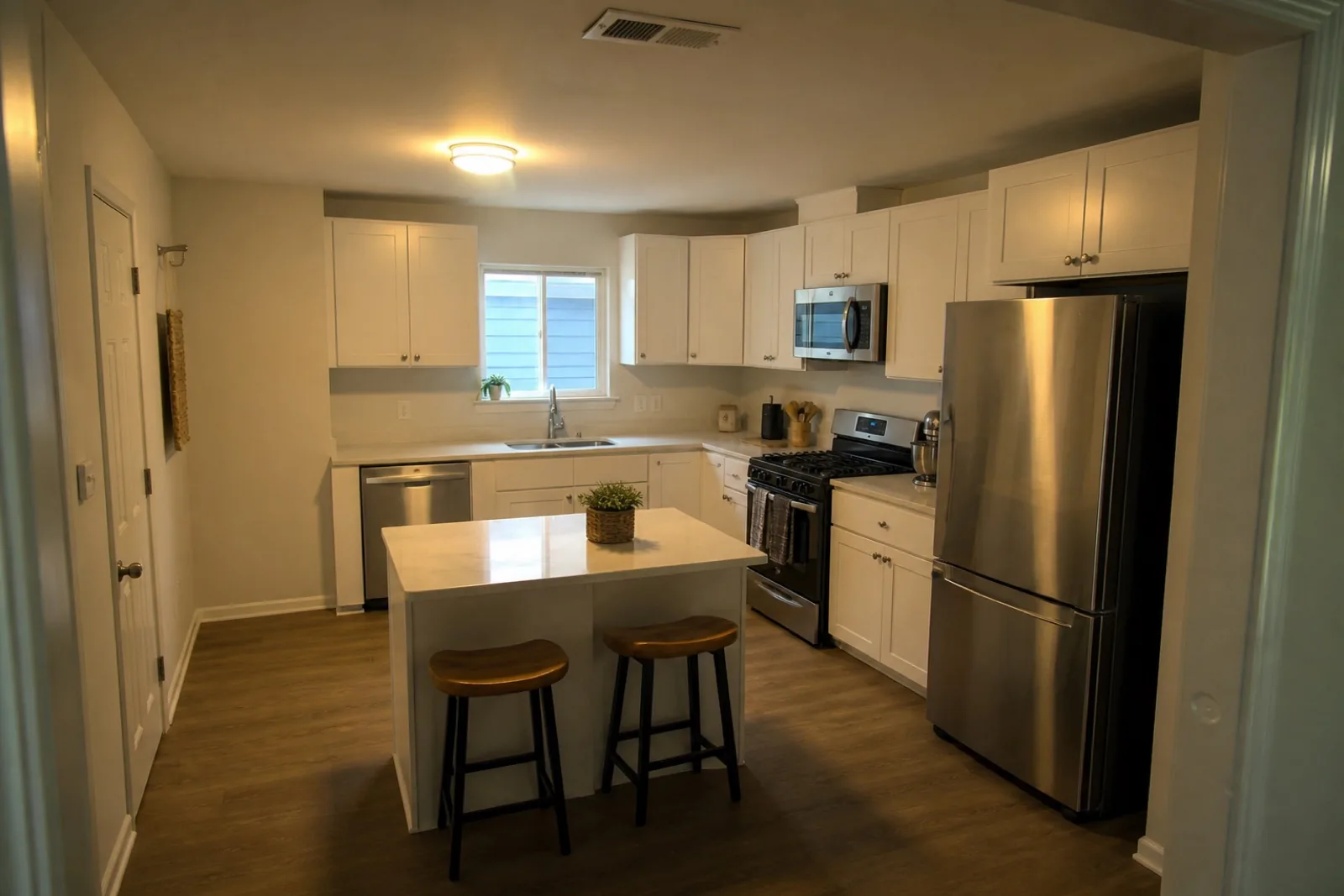
Mixed ceiling and window light brought back to a clean, believable white balance.
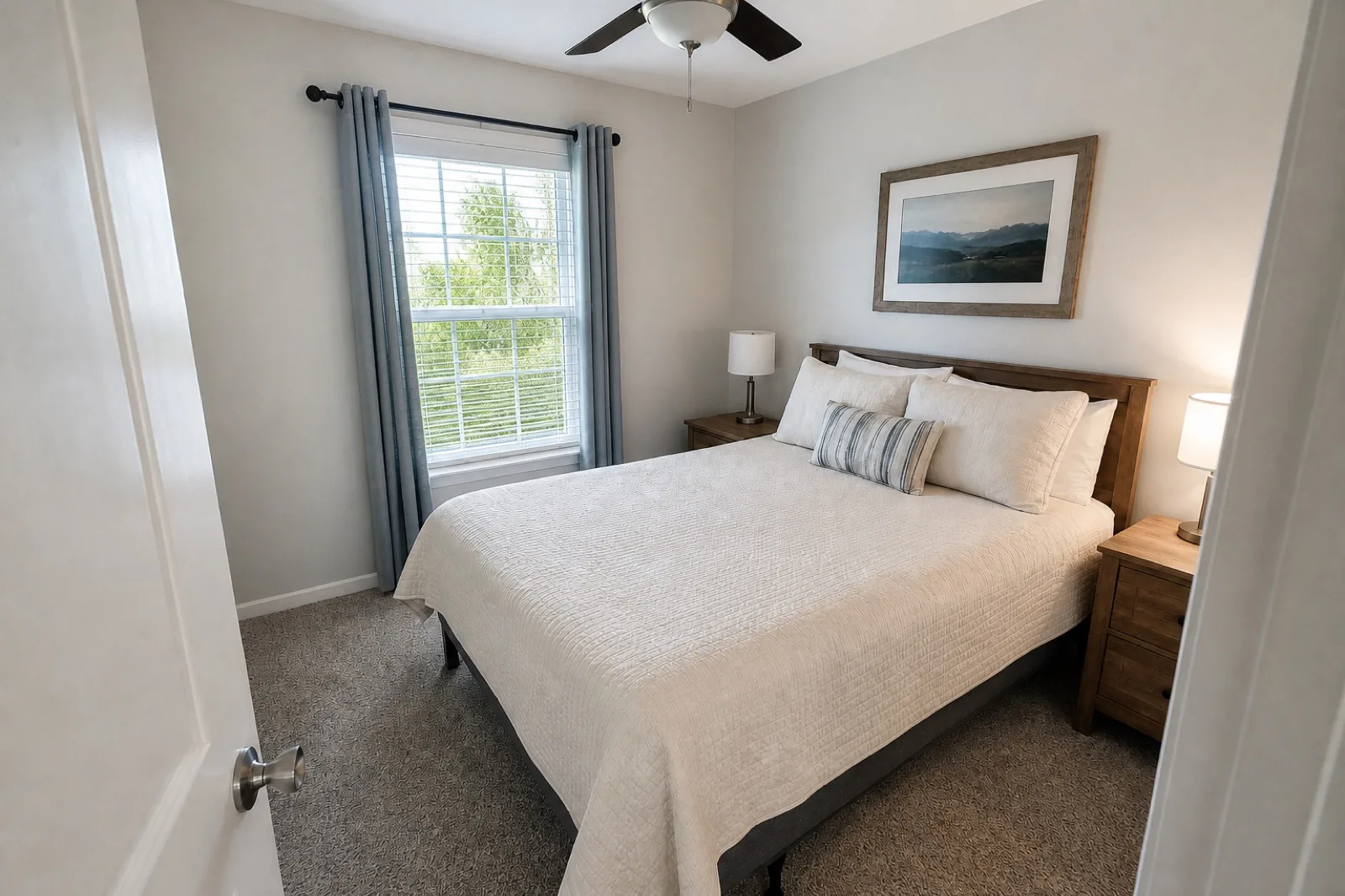
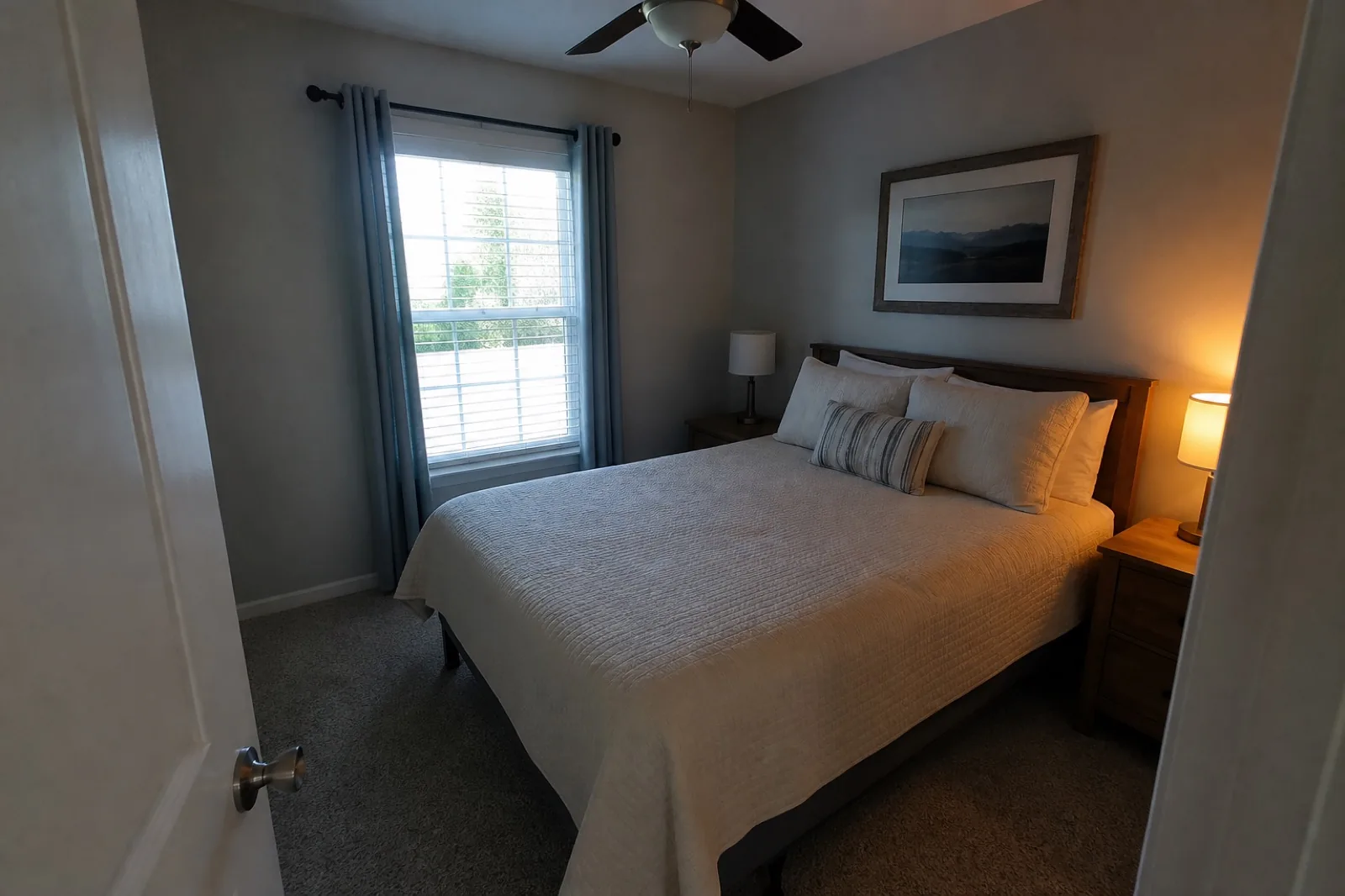
Window recovery and gentler lamp balance while the room remains recognizably the same.
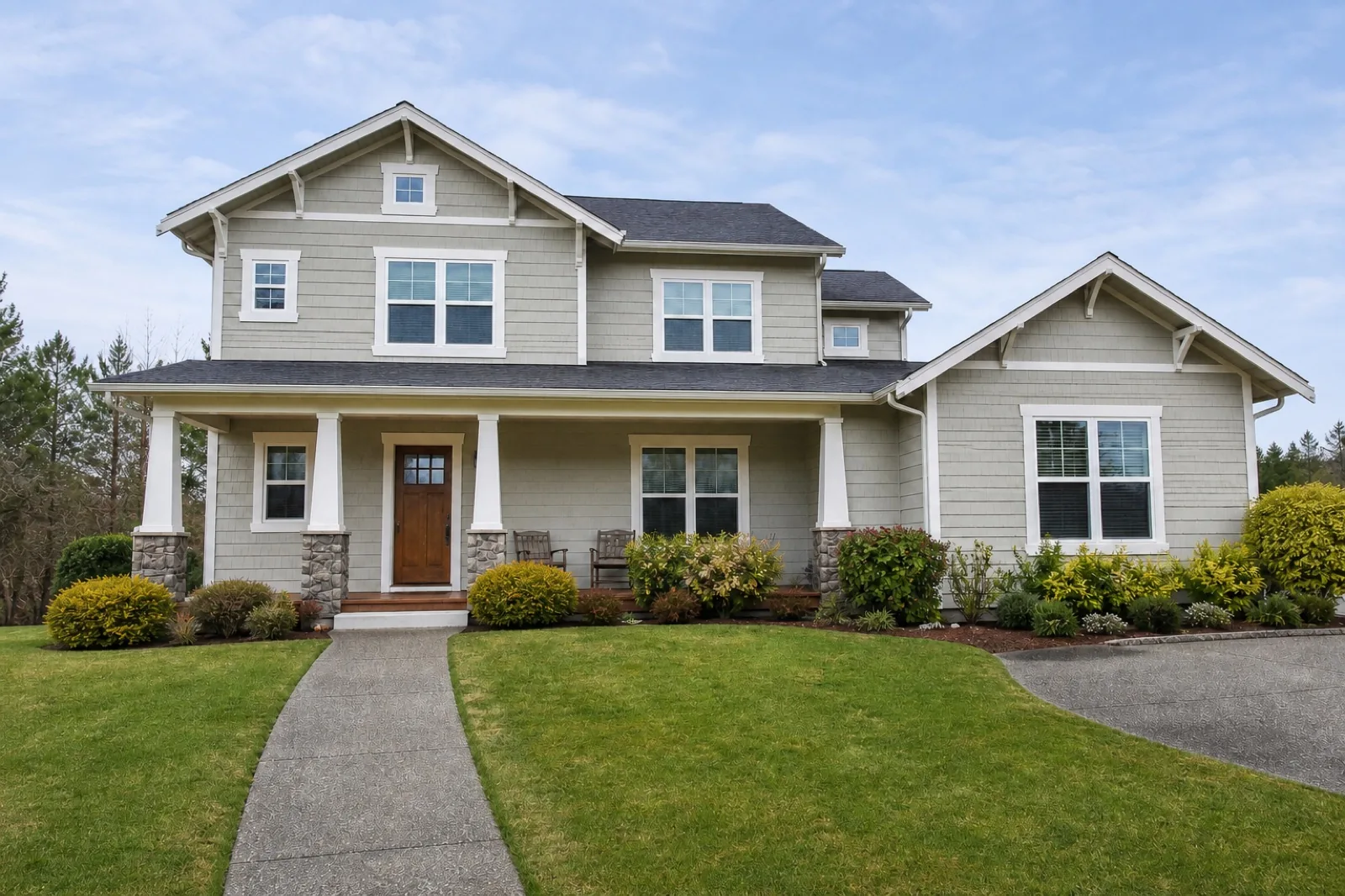
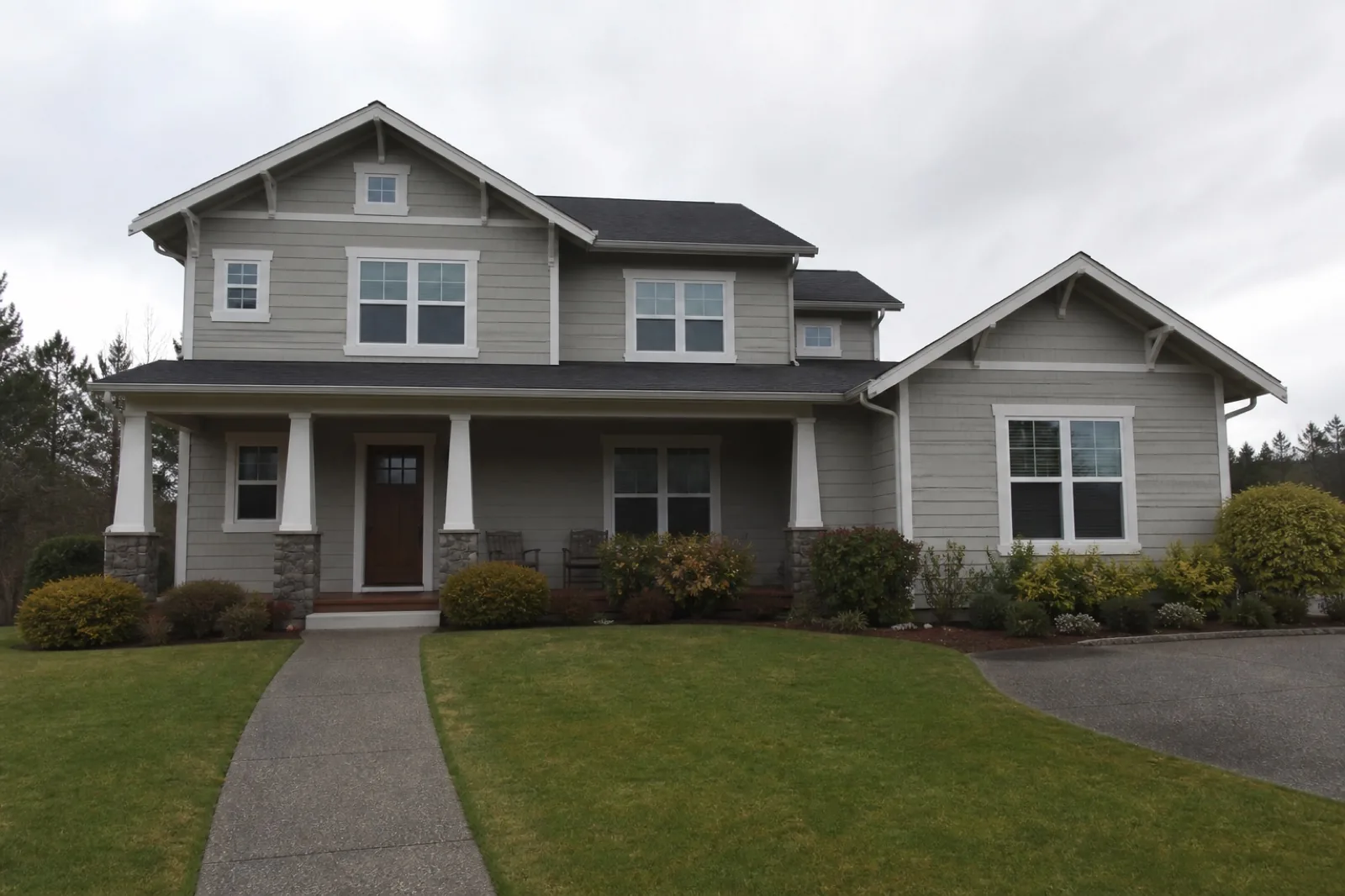
A restrained sky and facade pass designed to improve curb appeal without rebuilding it.
About these images: representative demonstrations created for ListPik to illustrate correction categories. They are not customer listings, performance guarantees, or undisclosed virtual staging.
Six focused corrections
Lift shadow detail, keep window information, and avoid the flat HDR look.
02Accurate colorRemove unwanted yellow, blue, and green casts without repainting the room.
03Straight geometryCorrect leaning walls and horizons while preserving believable proportions.
04Clarity and resolutionReduce noise and improve useful detail for galleries, social posts, and brochures.
05Careful cleanupQuiet small loose distractions while leaving furniture and permanent features intact.
06Exterior finishingBalance facades and overcast skies without changing the property or its setting.
Built for booking galleries
ListPik fits between capture and publication, whether one host owns the listing or an operations team needs a repeatable approval step across a portfolio.
Refresh a live listing from the camera roll you already have.
02Vacation rentalsKeep seasonal galleries coherent across weather, phones, and properties.
03STR managersMove new units from camera roll to channel-ready without another production handoff.
04Real estate agentsFinish owner-supplied and deadline-day photos before portal launch.
A visible process
No hidden batch, no blind download. The comparison stays at the center of the workflow so the host or manager publishing the listing remains the final editor.
Bring the largest JPG, PNG, or WebP available. Files stay reviewable against the result.
Use an interior or exterior direction so light, color, and geometry are handled in context.
Drag the divider across the image and check architecture, materials, views, and visible condition.
Export only when the finished photo still represents the place a guest or buyer will encounter.
The ListPik standard
A polished image is only useful when it survives comparison with the original. Architecture, permanent features, furniture, views, visible condition, and material facts should remain recognizable.
Read the vacation rental photo guideThe short definition
ListPik is a browser-based AI vacation rental photo editor for hosts and teams publishing on Airbnb, Vrbo, Booking.com, and direct-booking sites. It corrects lighting, white balance, clarity, mild perspective, and restrained exterior presentation, then keeps the original beside the result for review. Real estate teams use the same review-first workflow for sale and long-term rental listings.
Read the editing methodologyWhy hosts pick ListPik
We do not publish fake named reviews. Early hosts use ListPik because the desk stays review-first: the property never gets invented, virtual staging is labeled by default, credits do not expire, and each credited photo includes one free re-run.
Simple credit packs
Every pack includes the same full-quality workflow, from $0.91 a photo. Buy a one-time pack or an optional monthly plan when volume is steady — unused credits do not expire.
That is the product standard. ListPik is directed to improve photographic presentation while preserving architecture, furniture, materials, views, and layout.
Yes. Sign in with a magic link and your account starts with three free credits. You can also load the sample photo to preview the comparison workflow before uploading your own.
No. ListPik credit packs are one-time purchases and remain available until used. There is no required subscription.
Yes. Exterior mode uses a restrained direction for facade exposure, landscape color, horizons, and plausible sky treatment.
Yes. Virtual staging is a separate job from enhancement, at the same one credit per photo. It adds furniture in one of six styles at believable scale, leaves the architecture, dimensions, and visible condition exactly as captured, and burns a virtually-staged label into the result by default, which you can turn off before staging.
One credit covers one completed photo, whether that is an enhancement pass or a virtual staging run, including the before-and-after review and the downloadable result.
It can rescue or standardize useful source photos, but it cannot choose a better camera position, style a room, or capture detail that was never recorded.
ListPik exports standard listing-ready image files. Review each result against the original, then follow the current image, disclosure, and advertising rules for every booking channel where you publish.
Three free credits after you sign in with a magic link. No card required to start, and the original stays beside every result.
Claim 3 free creditsVacation rental photo editing
Guests scroll past dark rooms, orange walls, and leaning doorframes. ListPik fixes the photography — never the property — for Airbnb, Vrbo, Booking.com, and direct-booking sites, in about a minute a photo.